How to Send ARB: Network, Fees and Transfer Checks

To send ARB, confirm the recipient’s supported network, prepare the token balance and network fee, then review the address and amount before signing. After submission, use the transaction hash to check what happened instead of relying only on the wallet’s balance display.

A successful blockchain transfer and a platform credit are different events. Knowing which one you are waiting for helps you contact the right party and avoid sending the same payment twice.

If your aim is to obtain a different asset rather than move ARB between wallets, convert ARB into ETH on Ethereum mainnet. The exchange uses a separate deposit order and pays the result to the destination you select.

Prepare the Recipient Before Opening Send

Ask the recipient for an ARB receiving address and the network they accept. For a hosted exchange, use its current deposit instructions for this specific token rather than an address copied from an unrelated asset.

Confirm the Asset and Network Together

ARB on Arbitrum One must go to a recipient that accepts that token on Arbitrum One. A familiar address format or a matching ticker is not enough to establish compatibility.

Check for a minimum deposit, required confirmations or other crediting conditions when the recipient is a platform. Those are receiving-platform rules, not properties of every ARB wallet.

Leave a Way to Pay the Fee

An ordinary ARB transfer on Arbitrum One uses ETH in that network to pay gas. An ETH balance on Ethereum mainnet is a different network balance and does not automatically fund this transaction.

Review the wallet’s fee preview. Some products offer alternative fee-payment or sponsored arrangements, but use them only when the wallet explicitly provides that option for the transaction you are making.

Smartphone with a trading app next to letter tiles

Make the Transfer from Your Wallet

Once the receiving instructions are clear, prepare the payment in the account holding the tokens. Keep the sender’s fee and the amount the recipient should receive as separate checks.

  1. Select ARB in the sending account and confirm the network.
  2. Open Send and enter the receiving address.
  3. Enter the token amount, including any exact-amount requirement of the recipient.
  4. Review the asset, network, destination, amount and fee in the final confirmation.
  5. Sign once, then save the transaction hash and payment details.

Use a small initial transfer where it is practical and does not conflict with a deposit minimum or an exact exchange-order amount. A test payment is not a reason to split an order that requires a single specified deposit.

If ARB is absent from the asset list, follow the MetaMask display and token checks before assuming the balance was lost. Inspect the transaction record before creating another payment.

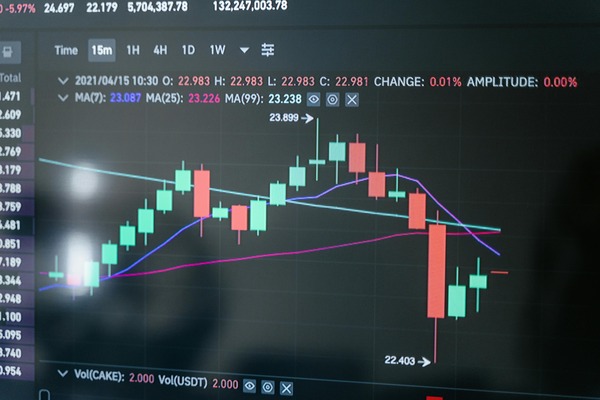
Monitor displaying cryptocurrency price candles

Read the Result Before Trying Again

The status tells you what to investigate next. A wallet notification is useful, but the corresponding network explorer provides a separate view of the submitted transaction.

What you seeWhat it tells youWhat to do next
No transaction hashSubmission may not have completedInspect the wallet’s activity and signing result before retrying
PendingThe transaction has not reached its final recorded resultFollow its status and use only the wallet’s supported replacement options
Failed or revertedThe intended token transfer did not complete as requestedRead the error and check the balance and any gas already spent
Successful with an ARB transferThe network recorded the token movementVerify the destination and check the recipient’s crediting requirements

A failed transaction can still consume a network fee. Increasing the token amount or repeating the same request without understanding the error does not fix its cause.

Keep the hash from the actual network involved. A hash found on an Ethereum explorer does not prove that the recipient received an Arbitrum One payment.

If you already used an unsupported network, stop and establish where the tokens actually arrived. Ask the recipient about recovery on that chain; another transfer or a changed wallet setting will not reverse the completed payment, and recovery is not guaranteed.

When the Network Shows Success but the Balance Is Missing

Start by comparing the successful token transfer with the recipient’s instructions. The next step depends on who controls the receiving address.

A Personal Wallet Has Not Updated

Check the receiving account, network and token entry. If the correct account holds the token on-chain, a missing wallet display is not evidence that another transfer is required.

For a broader review of access, backups and signing devices, see how to choose and use an ARB wallet. Recovering account access and displaying an existing token are different tasks.

A Platform Has Not Credited the Deposit

Check the platform’s deposit minimum, confirmation requirement and network support. A transaction can be valid on-chain while the platform still needs to identify or credit it internally.

Contact that platform with the transaction hash, receiving address, amount and network. Never include a seed phrase or private key; these are not needed to locate a public token transfer.